Leland+ Content Library

How to Automate Recurring Work in Cowork
Claude Cowork is an Anthropic tool available in the Claude Desktop app that can access your full computer and help you to automate your tasks.
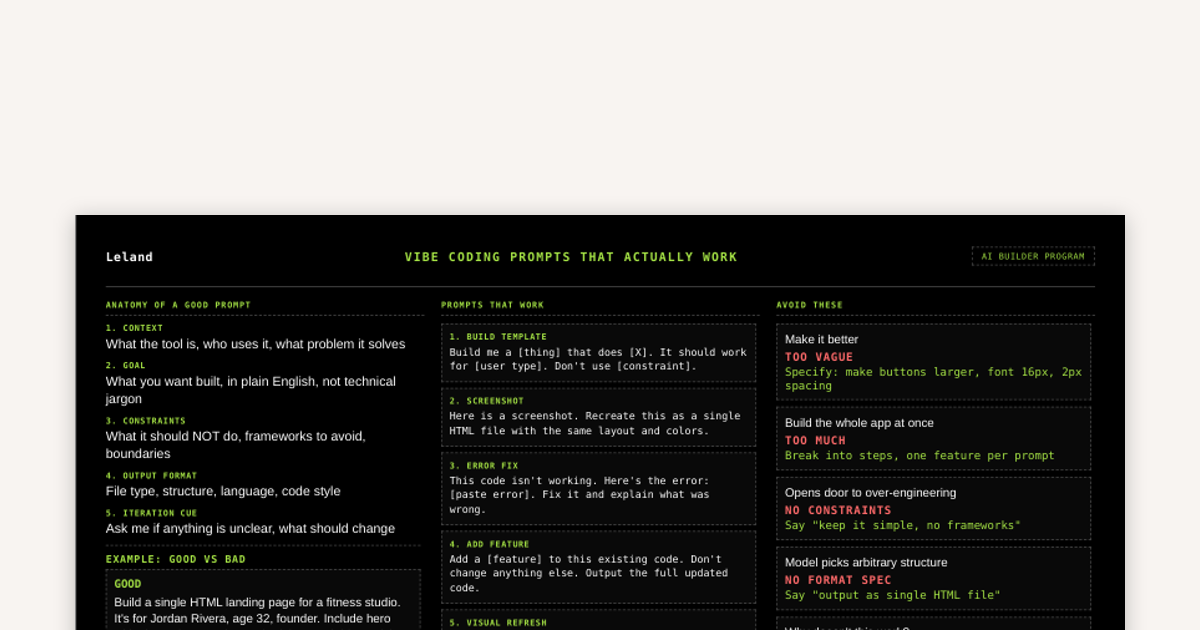
Vibe Coding Prompts That Work
Anyone who has vibe-coded knows that it takes practice and iteration to learn what does and doesn't work effectively. Here we break down some principles to help flatten out the learning-curve, improve your outputs, and save you tokens.
Weekly Recap Skill
"/weekly-recap" pulls completed Notion tasks, key Slack decisions, and resolved Gmail threads from the past week and formats them into a manager-ready Friday summary covering what shipped, what's in progress, key decisions, blockers, and next week's priorities. To install, run this in your terminal after downloading the file: unzip ~/Downloads/weekly-recap-skill.zip -d ~/.claude/skills/weekly-recap/

Meeting Prep Skill
"/meeting-prep" generates a pre-meeting brief by pulling upcoming calendar events, searching Notion for relevant project context, and scanning Slack for recent conversations. This is all synthesized into a one-page brief covering purpose, outcomes, open questions, and prep notes. To install, run this in your terminal after downloading the file: unzip ~/Downloads/meeting-prep-skill.zip -d ~/.claude/skills/meeting-prep/
Free

A Skill for Creating Skills
"/skill-creator" is Anthropic's official skill that creates new skills from scratch, modifies and improves existing skills, runs evals to test skill performance, and benchmarks skills with variance analysis and description optimization. To install, run this in your terminal after downloading the file: unzip ~/Downloads/skill-creator-skill.zip -d ~/.agents/skills/skill-creator/
How to Create a Reusable AI Skill
This guide covers what should go inside of a SKILL.md and explores multiple methods for creating a skill: from fully manual to fully AI automated.
Free
Meeting Analyzer Skill
"/meeting-analyzer" extracts action items, decisions, open questions, and missed opportunities from a meeting transcript or Granola notes. To install, run this in your terminal after downloading the file: unzip ~/Downloads/meeting-analyzer-skill.zip -d ~/.claude/skills/
n8n Job Finder Workflow
This is an n8n JSON file that can be downloaded and uploaded into n8n via the 'import from file..' option found in the top right corner of a blank n8n workflow. This workflow is meant to be customized by you, but is set to run weekly, search for jobs in your desired industry/location, manages a Google Sheet with the data collected, and sends you an email summary of what's new. For more information on what n8n is and how to use it, check out "An Introduction to n8n" found on Leland+ https://www.joinleland.com/content/item/urn:contentEntry:69df39011ac7ef3b77c92c97

Deal Revitalization Skill
"/deal-action-engine" diagnoses stalled deals by reading the actual email thread and notes, then drafts a targeted re-engagement email addressing the specific blocker. To install, run this in your terminal after downloading the file: unzip ~/Downloads/deal-action-engine-skill.zip -d ~/.claude/skills/
Free
Business Case Builder Skill
"/business-case-builder" follows standard case structure by building a structured pitch for a new initiative, automation, or investment with ROI framing and risk summary. To install, run this in your terminal after downloading the file: unzip ~/Downloads/business-case-builder-skill.zip -d ~/.claude/skills/
Project Status Update Skill
"/project-status" generates a stakeholder-ready project status update by pulling completed/in-progress/blocked tasks from Notion and recent Slack activity, structured with a traffic-light status, specific outcomes, blockers, and next milestone. To install, run this in your terminal after downloading the file: unzip ~/Downloads/project-status-skill.zip -d ~/.claude/skills/project-status/
Employment / Networking Opportunity Tracker Skill
"/opportunity-tracker" logs professional opportunities (job applications, networking contacts, informational interviews) to a Google Sheet, surfaces follow-ups due within 7 days, and generates a full pipeline view organized by status. Output format and location can be customized (ie send to a Notion doc instead). To install, run this in your terminal after downloading the file: unzip ~/Downloads/opportunity-tracker-skill.zip -d ~/.claude/skills/opportunity-tracker/
AI News Digest Skill
"/ai-news" pulls and summarizes the latest AI news, tools, and research into a structured digest. To install, run this in your terminal after downloading the file: unzip ~/Downloads/ai-news-skill.zip -d ~/.claude/skills/
Free

Outreach Email Frameworks Skill
"/copy-frameworks" writes outreach emails using campaign-tested frameworks (SPARK, PAS, AIDA, Nudge) with two variants per request. To install, run this in your terminal after downloading the file: unzip ~/Downloads/copy-frameworks-skill.zip -d ~/.claude/skills/
Free

Brainstorming Skill
"/brainstorming" guides any idea through a structured design process: clarifying questions, 2-3 approaches with trade-offs, a written spec, and user approval before any implementation begins. To install, run this in your terminal after downloading the file: unzip ~/Downloads/brainstorming-skill.zip -d ~/.claude/skills/brainstorming/
Building an AI Knowledge Wiki
Structure your context files so your AI agent always has the right information, retrieves it without guessing, and gives you specific answers instead of generic ones.
Free
Hubspot Revenue Monitor Skill
"/revenue-monitor" takes a weekly pipeline snapshot from Hubspot, detects meaningful changes, and generates a digest of what moved and why. To install, run this in your terminal after downloading the file: unzip ~/Downloads/revenue-monitor-skill.zip -d ~/.claude/skills/
Free

Skills for Finding the Right Clients
The "Skills for Finding the Right Clients" bundle is a group of four skills that define who you're selling to before doing anything else. These skills build your ICP, personas, objection playbook, and a qualification framework for new prospects. The "Skills for Client Outreach" and "Skills for Campaign Feedback & Improvement" bundles build on this foundation and form a full stack. To install, run this in your terminal after downloading the file: unzip ~/Downloads/foundation-bundle.zip -d ~/.claude/skills/
Free
Skills for Client Outreach
The "Skills for Client Outreach" bundle works together with the "Skills for Finding the Right Clients" and "Skills for Campaign Feedback & Improvement" bundles as one operating stack. It covers client outreach and daily operations. It covers the full loop of who to contact (intent signals, lead prioritization), why to contact them now (trigger mapping), and what to say (sequence architecture, copy frameworks, personalization). Most people will live in this bundle day-to-day. To install, run this in your terminal after downloading the file: unzip ~/Downloads/outreach-bundle.zip -d ~/.claude/skills/
Free
Skills for Campaign Feedback & Improvement
The "Skills for Campaign Feedback & Improvement" bundle is the final step in an operating stack which includes "Skills for Finding the Right Clients" and "Skills for Client Outreach" bundles. This bundle runs after campaigns are in motion, diagnoses what's breaking in the funnel, extracts patterns from what's working, and closes the loop back into the foundation and outreach bundles. To install, run this in your terminal after downloading the file: unzip ~/Downloads/performance-bundle.zip -d ~/.claude/skills/