What Is the GMAT Whiteboard? Rules, Dimensions, & Requirements
Learn how to use the GMAT whiteboard effectively on test day—rules, dimensions, tools, and expert tips for both the online and physical formats.
Posted March 6, 2026



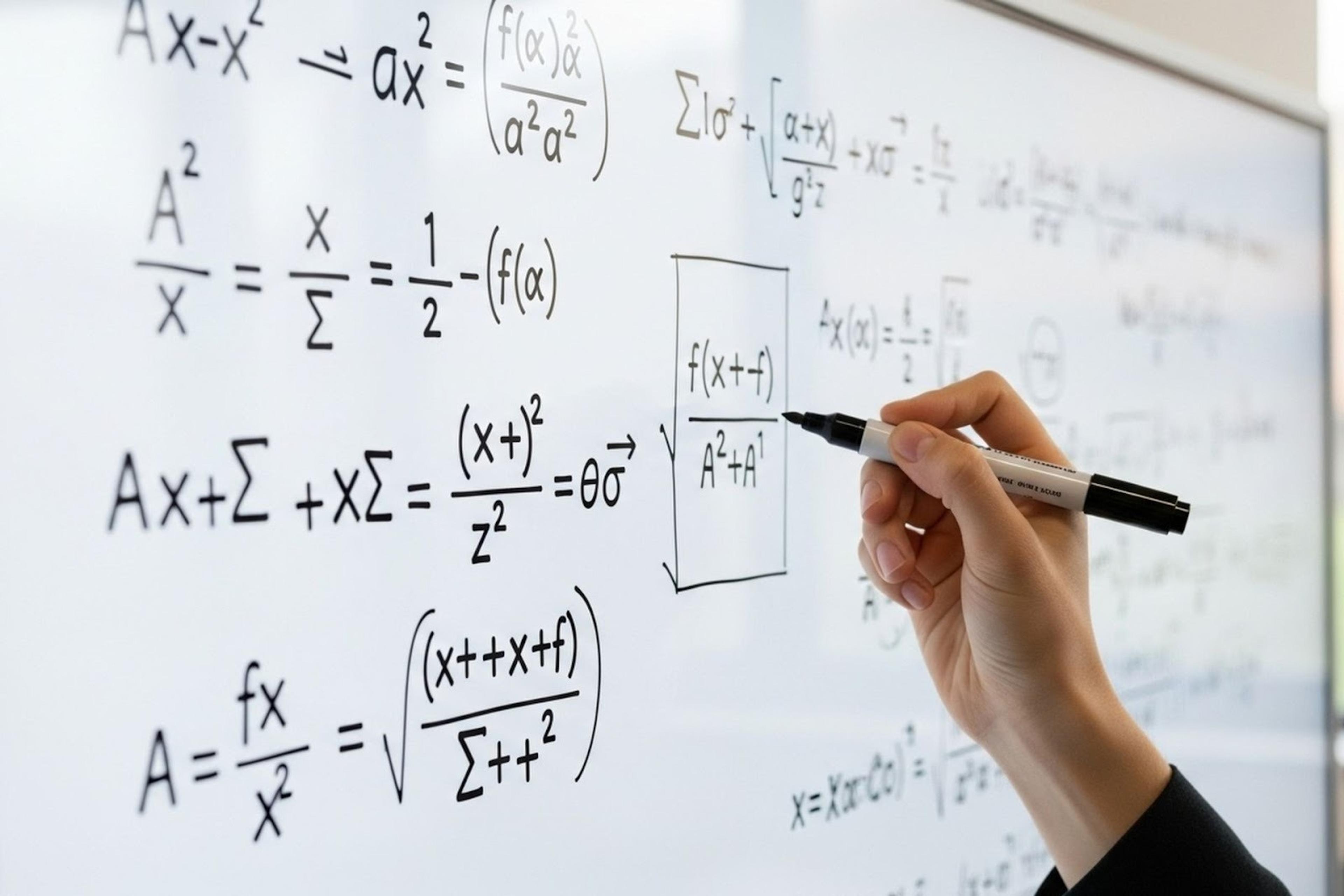
Table of Contents
The GMAT whiteboard is one of the most important but misunderstood tools for the GMAT online exam. Whether you’re taking the Graduate Management Admission Test at a test center or in an online GMAT testing environment, knowing the whiteboard options, requirements, rules, dimensions, and practical usage can save precious minutes and boost confidence on test day.
In this guide, we’ll explain everything, from official policies to real-world usage tips shared by other test takers on forums like GMAT Club. You’ll learn how to use a physical whiteboard versus an online whiteboard effectively, what tools you need, how to use scratch work strategically, and what the check-in process entails.
Read: GMAT Focus Edition: What You Need to Know for 2023 and Beyond
What Is the GMAT Whiteboard?
The GMAT whiteboard is a workspace where test takers can make scratch work while solving questions. On the online GMAT, this takes the form of a virtual tool called the online whiteboard tool. At many test centers, and for some online options, you may be allowed a physical whiteboard.
Whiteboards help with:
- Calculations
- Venn diagrams
- Drawing grids and tables
- Organizing thought sequences
- Recording notes on geometry and data sufficiency
Test takers often liken the whiteboard to having scratch paper that’s easily erasable, a reason why mastering it before the exam is a best bet.
What Makes the Whiteboard Crucial on the GMAT
For the GMAT online exam, the whiteboard is your only workspace. And that changes everything about how you approach the test.
While the GMAT is identical in content whether taken online or at a test center, the test-taking experience is not. Online, you won’t have scratch paper. You won’t have a notepad. You won’t be allowed to use your own pen. Instead, everything, from mental math to drawing number lines to eliminating answer choices, must be done within the online whiteboard tool.
Here’s what shifts in the online version:
- You use a virtual whiteboard with digital tools, not physical materials
- You can’t bring anything in, not even a physical whiteboard
- Your workspace is monitored from the moment the check-in process begins
That’s why mastering the online whiteboard is non-negotiable. Not just about knowing the rules but also developing the reflexes and strategies to think, calculate, and visualize effectively under real exam pressure.
Pro tip from top scorers: Make the whiteboard your default for all practice tests and drills. The better your fluency with it, the more headspace you’ll save on test day.
GMAT Exam Whiteboard Rules & Requirements
Here’s the official breakdown of what’s allowed and what isn’t in both the online and test center environments.
Allowed:
- An online whiteboard tool provided by the Graduate Management Admission Council
- Scratch work within the whiteboard
- Erasing and rewriting
- Multiple work areas (almost endless canvas in some systems)
Not allowed:
- Bringing external paper (like napkins, whiteboard spray paper, paper in a clear folder)
- Pens, pencils, or permanent markers
- Physical scratch materials
- Mobile devices
- Any device that can record or transmit data
Additional rules:
- You must clear the whiteboard at the end of each section
- You cannot save or export whiteboard contents
- Everything is monitored through the testing room software
Physical Whiteboard vs Online Whiteboard
| Aspect | GMAT Physical Whiteboard | GMAT Online Whiteboard Tool |
|---|---|---|
| Availability | Only allowed at test centers or select online setups with GMAC approval. | Default option for all GMAT Online exams. |
| Setup & Rules | Must meet strict whiteboard requirements (e.g., max dimensions 12"x20", no grid lines, clean surface). | Automatically provided in-browser; nothing to bring or prepare. |
| Allowed Tools | Dry-erase marker, whiteboard eraser; no permanent markers, wet-erase markers, or scratch paper. | Includes digital pen tool, text box, erase marker, pan tool, and multiple pages/tabs. |
| Usable Space | Typically limited to one or two surfaces (max 2 sides); may require frequent erasing. | Offers an almost endless canvas with scroll and tab functions. It never runs out of space if managed well. |
| Note-taking Style | Most natural for those used to pen-and-paper; easier for quick sketches, Venn diagrams, or rough math. | Requires familiarity with digital tools; can be slower to draw, but offers more organization options. |
| Speed & Efficiency | Fast for writing, but can get cramped quickly, especially during Data Sufficiency or IR tables. | Initially slower for new users, but allows better layout control and separation by section. |
| Test-Taker Feedback | “Good for visual learners,” but often called out for lack of space, messy handwriting, and “marker fatigue.” | Highly preferred by those who practiced with it; “game-changing” once mastered; some call it the “perfect tool”. |
| Common Issues | Smudging, unclear erasing, marker quality, and running out of room. | Accidental clicks, lag if unpracticed, steep learning curve without prior exposure. |
| Strategic Tip | Bring your own fine tip dry-erase marker (if allowed), and ask for double sided whiteboard. | Simulate every timed drill and practice test using the same tool to develop fluency. |
| Best For | Test takers who must use a physical setup (e.g., specific accommodations or centers). | Most test takers, especially those taking the GMAT Online remotely in 2026-2027. |
Whiteboard Dimensions, Tools, and Usable Space
Physical Whiteboard Dimensions and Constraints
At test centers, physical whiteboards must adhere to strict sizing and usage policies set by the Graduate Management Admission Council. Most centers provide:
- Single- or double-sided whiteboards
- Sizes typically range from 9" × 12" to 12" × 18."
- Must be used with dry-erase markers only. No wet-erase or permanent markers allowed
- Some whiteboards lack grid lines, which can make organizing math or Venn diagrams harder
Expert tip: If your test center allows it, request a double-sided whiteboard and bring your own fine-tip dry-erase marker for more precise writing. Always confirm what's allowed beforehand, as rules vary by location.
Online Whiteboard Tools and Features
The online whiteboard tool is the default for the GMAT online exam. It offers far more usable space, but only if you know how to use it well.
Core tools typically include:
- Pan tool - Navigate across an extended canvas; essential for scrolling
- Text box - Type instead of writing, ideal for legibility in Sentence Correction or Verbal
- Dry-erase marker (digital) - Use to draw, annotate, or sketch out logic trees
- Erase marker - Clean up clutter or make space mid-question
- Multiple tabs/sections - Simulate multiple whiteboards for each question or section
Many test takers find the digital whiteboard initially awkward, but when mastered, it becomes a major strategic advantage. You’re no longer confined to a single page. You can dedicate entire sections of the canvas to different question types or scratch work categories.
Pro-Level Setup Strategy
Before the test even begins, use the whiteboard’s tools to create a smart workspace. Here’s how expert test takers label their canvas:
| Section | Purpose |
|---|---|
| Quant Work | Calculations, plug-ins, backsolving |
| Sentence Correction | Error tracking, parallelism notes |
| Data Insights | Tables, multi-source comparisons |
| Guess Log | Quick tally of flagged questions |
Why it matters: On test day, you’ll be moving fast. A cluttered or disorganized board = wasted time and preventable mistakes. Setting up “zones” gives your brain a predictable structure, which lowers decision fatigue and saves minutes over the course of the exam.
How to Use the Whiteboard on Test Day
Before You Begin
Your effectiveness with the GMAT whiteboard is largely determined before the exam even starts. In the weeks leading up to exam day, make the whiteboard part of every serious study session. Complete full practice tests using the same online whiteboard tool you’ll see on the real exam, so the motions feel automatic, not distracting.
If you’re taking the online GMAT, confirm you have a stable internet connection and a distraction-free testing area well in advance. On test day itself, log in early and complete the check-in process carefully. Rushing this step is one of the easiest ways to spike anxiety before the first question appears.
During the Exam
Once the exam begins, the whiteboard should support your thinking, not slow it down. Write strategically rather than exhaustively. Use the board to clarify logic, track variables, or organize scratch work, but avoid rewriting information that’s already clear.
For Quant and Data Insights, grid lines (when available) are invaluable for tables, ratios, and Venn diagrams. Break complex or time-consuming problems into clean, sequential steps so you can quickly spot errors and eliminate incorrect answer choices. Many experienced test takers assign a fresh area of the whiteboard to each question to avoid visual clutter.
If you’re using the online whiteboard, the pan tool is essential. Scrolling to fresh space is far faster than erasing mid-problem, and it preserves earlier work in case you need to reference it later.
After Finishing a Section
At the end of each test section, follow the instructions to clear the whiteboard completely. You will not be able to access earlier notes, and attempting to rely on previous work can disrupt your focus as you transition to the next section.
Treat each section as a reset. A clean whiteboard helps signal a mental reset as well, allowing you to approach the next part of the GMAT exam with clarity and control.
For more insights on GMAT problem-solving questions, read:
- GMAT Focus Rate Problems: Tips & Practice
- GMAT Focus Word Problems: Tips & Practice
- GMAT Focus Verbal: Topics, Timing, Scores, & Tips
- GMAT Focus Quant: Topics, Timing, Scores, & Tips
Best Practices from Test Takers
GMAT Forums consistently highlight these expert practices:
- Simulate test conditions with the online whiteboard every time you study
- Use dry-erase markers that produce comfortable writing
- Keep your work organized because chaotic notes slow you down
- On the GMAT online exam, learn to use text boxes sparingly so you don’t waste time
One common insight: most test centers’ physical whiteboards lack grid lines, so test takers often draw grids themselves, which takes time. Good online whiteboard mastery can counterbalance this.
Explore: Best Free 50+ GMAT Preparation Resources: Study Tools, Practice Tests & Tips
Common Mistakes to Avoid
- Writing too much instead of breaking problems down
- Wasting space with unstructured notes
- Forgetting to erase between sections
- Using permanent markers or unapproved stationery
- Fumbling with tools you haven’t practiced
Summary & Tactical Takeaways
The GMAT whiteboard, whether virtual or physical, is an extension of your mental workspace. Mastering how to use it effectively is a test-day differentiator.
Key takeaways:
- Know the rules, dimensions, and requirements before you sit
- Practice with the online whiteboard tool consistently
- Keep your scratch work neat and strategic
- Learn the difference between a physical whiteboard and an online whiteboard
- Adopt real test-taker tricks like grid organization and space management
By treating your whiteboard like a reliable partner rather than an afterthought, you’ll realize real gains in accuracy and speed, which are critical for maximizing your exam performance.
Read: GMAT Study Tips From Pro Tutors: From 600 to 700+ and How Long Should You Actually Study for the GMAT Focus Edition?
Master the GMAT with a Top Coach
The whiteboard is a core part of how you’ll think, solve, and stay composed during the GMAT online exam. Whether you're working through multi-step Quant problems, structuring data from dense tables, or jotting logic paths in Verbal, your ability to manage the online whiteboard tool (or approved physical whiteboard) can create or erase your edge.
If you want to master not just the whiteboard but your entire GMAT strategy, working with a coach can change everything. From building whiteboard fluency to structuring a customized study plan, the right expert will help you turn your effort into results.
Browse GMAT coaches who specialize in the online exam and test-day execution here. Let’s get you across the finish line faster and with less stress. More so, you can also join GMAT test prep bootcamps and free events to learn more GMAT test prep strategies!
Top Coaches
Read next:
- GMAT Focus Sections: Overview & Structure Breakdown
- How Long is the GMAT (Focus Edition)? Breakdown by Section & Total
- 3 Things You Need to Know About the New GMAT Focus Edition
- GMAT Focus Score Chart — With Percentiles
- How Late Can You Take the GMAT/GRE for MBA Applications
- GMAT Math Questions: 5 Best Places to Go for Quant Practice
FAQs
What if my whiteboard stops working during the GMAT online exam?
- If you're using the online whiteboard tool and encounter a technical issue, immediately notify the proctor through the chat box. They can pause the exam and help resolve it. Don’t try to fix it yourself, as that could trigger a security flag.
Can I request extra whiteboard space or accommodations?
- Yes, test takers with approved accommodations through GMAC's disability services may be eligible for alternate note-taking options. This may include a larger physical whiteboard or extended time to manage tools more effectively.
Do top GMAT scorers actually use the whiteboard during Verbal?
- Surprisingly, yes. Many high scorers use the whiteboard in Sentence Correction to track parallelism or in Critical Reasoning to outline argument structures. It's especially helpful if you’re a visual thinker.
How do I keep my whiteboard work organized under time pressure?
- Use clear zones for each question or section. For example, dedicate one tab to Quant and one to Verbal. Use brief labels like “Q4 - Geometry” to quickly return to earlier thoughts if needed. Practicing this system in practice tests builds speed and habit.
What happens if I accidentally use scratch paper during the online GMAT?
- Using unauthorized materials like paper towels, scratch paper, or even writing tablets during the GMAT online exam is a serious rules violation. Your score may be canceled, and you could be barred from retaking the test. Always remember to stick strictly to approved tools.